
MemoryNumber

iPhone / iPad · iOS 15.1+

Remember each numberand tap where it was.

A memory game: look at the numbers in the circles, then tap where each one was, starting from 1, once they hide. Pick your challenge from levels and five modes.

Download on the App StoreFree (with ads and in-app purchases)

Scan with your iPhone

MemoryNumber

When it helps

What it does

  1. 01

    A numbers-and-positions game

    Numbers appear in circles at random spots. Once they hide, tap where each one was, starting from 1.

  2. 02

    Levels from a single number

    Level N means N numbers to remember. Levels go up to 25 on iPhone and 99 on iPad, and clearing one unlocks the next.

  3. 03

    Five game modes

    Classic, Reverse, Speed, Endless and Adaptive. In Adaptive mode, the count and viewing time for the next round are set from your recent accuracy.

  4. 04

    Simple controls

    Correct circles turn green and wrong ones turn red, each with its own sound. While answering, Undo takes back your last tap.

  5. 05

    Classic mode is free

    Play Classic for free and try each of the other four modes 3 times. Premium unlocks all five modes without limits and removes ads.

In detail

See numbers and positions, then tap from memory
01

See numbers and positions, then tap from memory

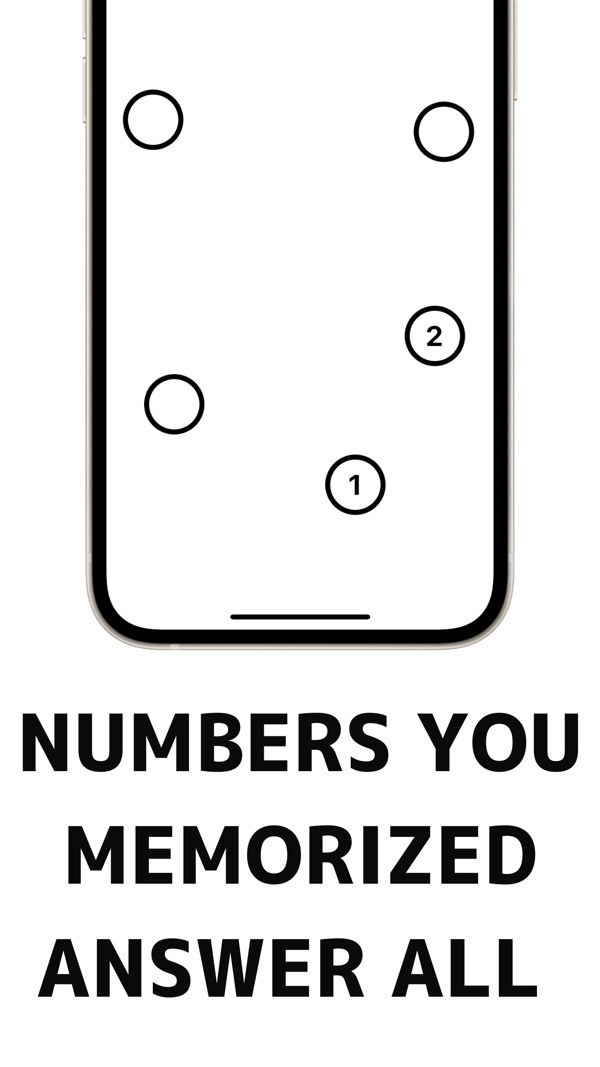
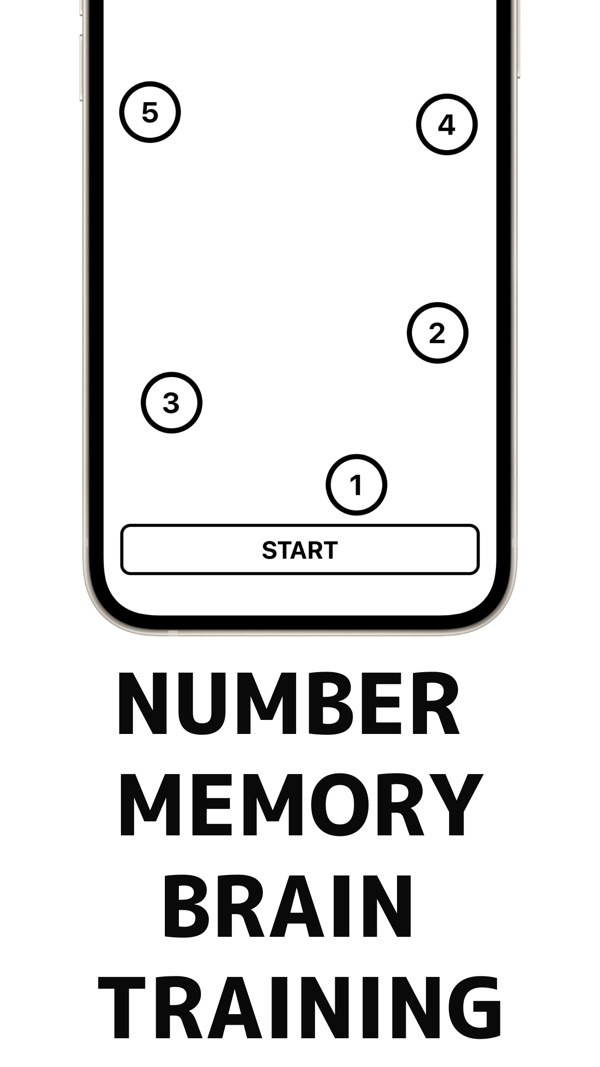
First, numbers appear inside circles at random positions. Press START and the numbers hide. Then tap the circle where each number was, starting from 1, to answer.

  • Numbers shown inside circles
  • START hides the numbers
  • A tapped circle reveals its number
Green for correct, a miss ends the game
02

Green for correct, a miss ends the game

A correctly chosen circle turns green and plays a sound. A wrong one turns red, and all the correct numbers are shown. Tap the confirm button to move on to the result.

  • Clear when every answer is right
  • A mistake means game over
  • Undo button takes back your last tap
  • Progress shown as n / total
Pick a level to start (Classic, Reverse, Speed)
03

Pick a level to start (Classic, Reverse, Speed)

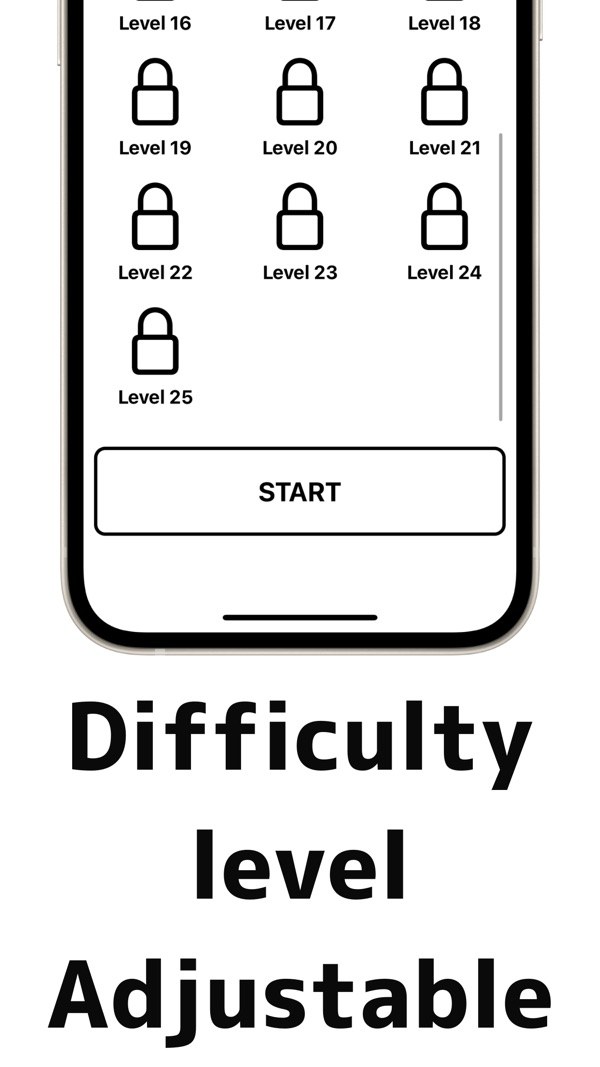
In Classic, Reverse and Speed, levels are listed on the start screen. Clearing a level unlocks the next one. Levels go up to 25 on iPhone and 99 on iPad.

  • Clear a level to open the next
  • A lock means the level is not unlocked yet
  • Next Stage button on the result screen
04

Five game modes

Classic (ascending order), Reverse (descending order), Speed (a viewing countdown), Endless (until you miss) and Adaptive (adjusts automatically). Each mode shows a short how-to-play guide.

  • Classic is free
  • The other four modes are Premium, with 3 free tries each
  • Premium unlocks all 5 modes and removes ads
05

Adaptive mode follows your recent results

If your accuracy over the last 5 records is high, the level goes up, and if it is low, it goes down. The result screen shows the next level and the display time, which stays between 1 and 5 seconds.

  • Based on the last 5 records
  • Next level and display time shown in the result
  • Speed mode shows a countdown number on screen

How it works

  1. 1
    Pick a mode and a level

    Pick a mode and a level

    Choose a game mode on the start screen. In Classic, Reverse and Speed you also choose a level. A how-to-play guide appears the first time you open a mode.

  2. 2
    Memorize the numbers and positions

    Memorize the numbers and positions

    Look at the numbers in the circles and remember where each one is. When you are ready, press START.

  3. 3
    Tap where each number was, from 1

    Tap where each number was, from 1

    Once the numbers hide, tap the circle where 1 was, then 2, and so on. In Reverse mode, you start from the largest number.

  4. 4

    Check the result and move on

    A result appears when you clear. Tap Next Stage for the next level, or Back to return to the start screen.

Screens

Memorize the numbers and positions

FAQ

What kind of game is it?

You first see numbers inside circles and remember their positions. After the numbers hide, you tap the circle where each number was, starting from 1.

Can it prevent or treat an illness?

No. This is a brain-training game, not a medical device. It is not intended to prevent, diagnose or treat any condition.

Can I change the difficulty?

Yes. You choose a level, and Level N means N numbers to remember. Levels go up to 25 on iPhone and 99 on iPad, and clearing a level opens the next one.

Is there a mode I can play for free?

Classic mode is free. Reverse, Speed, Endless and Adaptive can each be tried 3 times for free, after which Premium is needed.

What does Premium include?

Unlimited play in all 5 modes, and no ads. You can restore a purchase with Restore Purchase in Settings.

Does the app show ads?

Banner ads appear at the top of the start and game screens, and a full-screen ad may appear about once every 5 games after a clear or game over. Premium hides them.

What happens when I make a mistake?

The game ends and all the correct numbers are shown. After the result, you can start the same level again from the start screen. While answering, the Undo button takes back your last tap.

Are there sound effects?

Yes. Different sounds play for a correct tap and for a mistake.

What does it cost, and which languages and iOS are supported?

It is free to download on the App Store and requires iOS 15.1 or later. The app is shown in Japanese and English. Premium is an in-app purchase.

Start with Level 1.

Download on the App Store
MemoryNumberGet